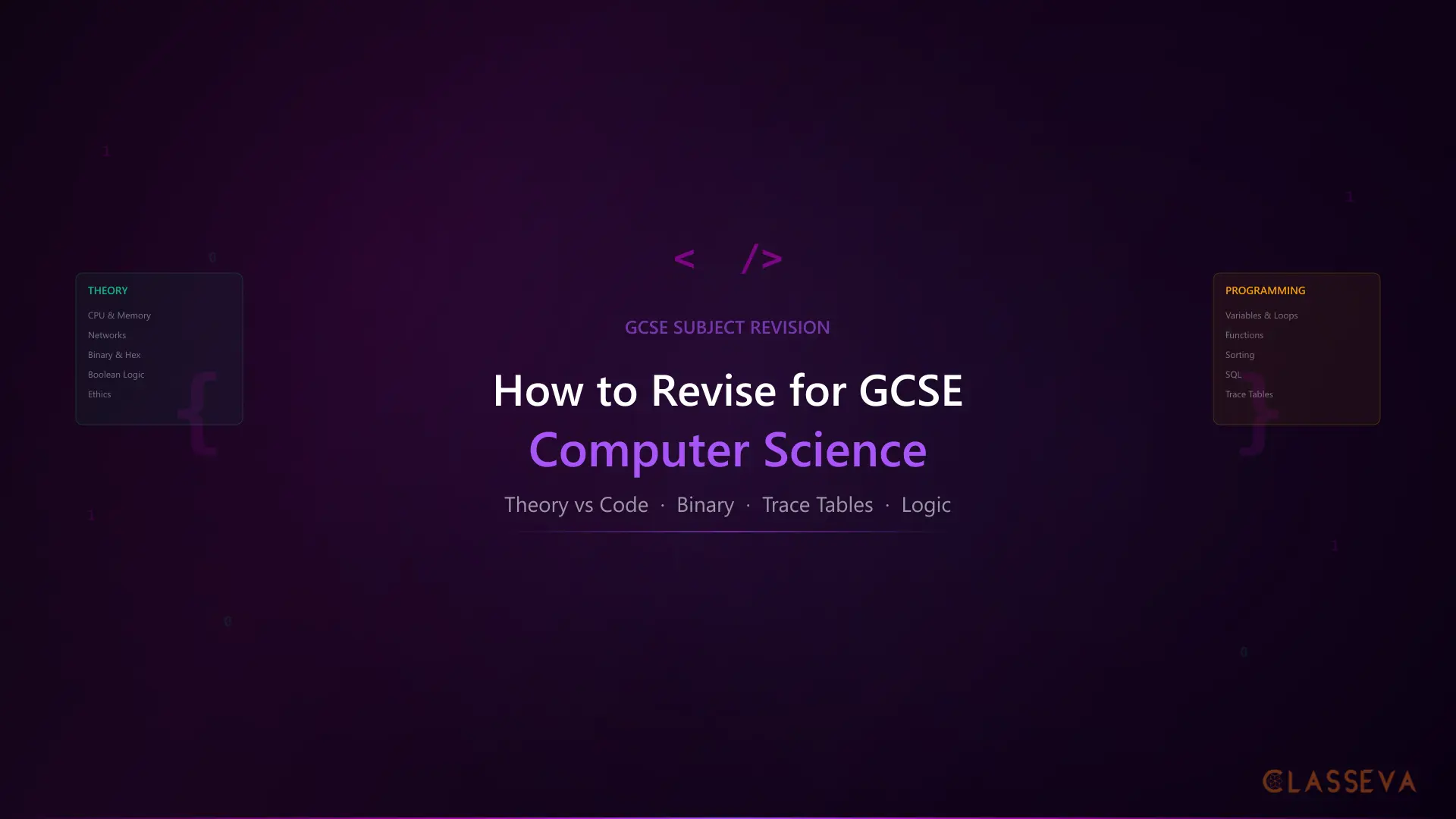
How to Revise for GCSE Computer Science
GCSE Computer Science is one of the few subjects where students can revise for dozens of hours and still underperform, simply because they revised the wrong way. The subject demands two completely different skill sets: theoretical knowledge about how computers work, and the practical ability to write, read, and trace through code. Most students lean heavily toward one side and neglect the other.
From my time working with GCSE students, Computer Science was the subject where I saw the widest gap between effort and results. Students who spent hours reading their notes or watching YouTube videos would walk out of the exam frustrated. The ones who scored highly all had something in common: they practised on paper. They wrote code by hand, calculated binary with a pen, and traced through algorithms step by step. This GCSE computer science revision guide covers exactly how your child should approach the subject.
Why Computer Science Revision Is Different
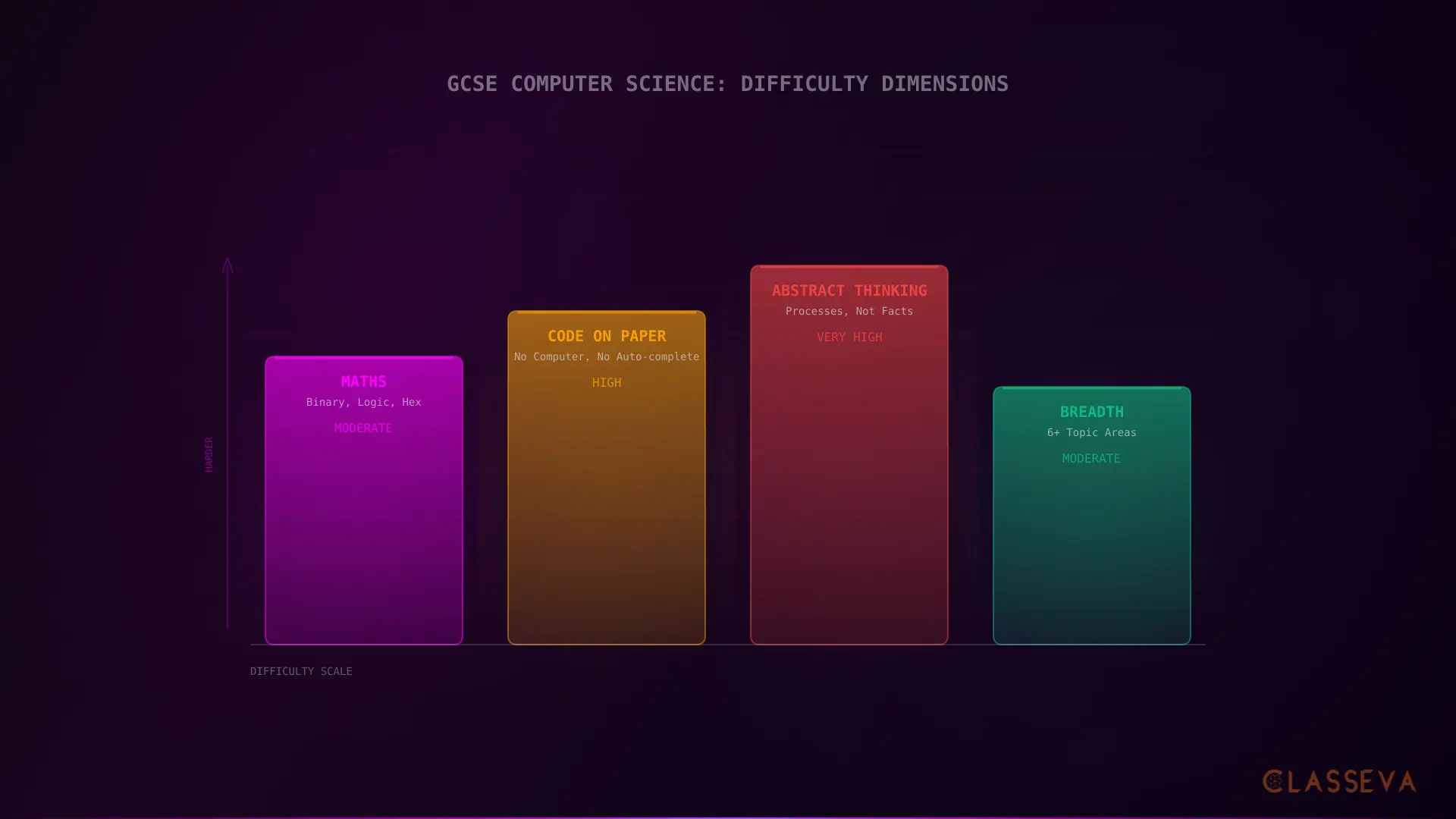
Most revision advice assumes the subject is knowledge-based: learn the facts, practise recalling them, apply them in exam answers. How to revise GCSE computer science requires a fundamentally different approach because roughly half the marks come from skills you cannot memorise. You have to do them.
Two Skill Sets, One Exam
Computer Science splits into two distinct areas. The theory side covers how computers work: CPU architecture, memory, storage, networks, protocols, security threats, data representation, operating systems, and ethical issues. The programming side covers algorithms, variables, selection, iteration, arrays, functions, file handling, and SQL. Both carry roughly equal weight in the exam.
Theory Topics
- •CPU, memory, and storage
- •Networks, protocols, and security
- •Binary, hex, and data representation
- •Boolean logic and logic gates
- •Systems software and ethical issues
Programming Topics
- •Variables, selection, and iteration
- •Arrays/lists and string manipulation
- •Functions and file handling
- •Algorithms (sorting, searching)
- •SQL queries and trace tables
The pattern I noticed repeatedly: students who chose CS because they enjoy coding would skip theory revision because it felt boring. Students who chose it as an “academic” subject would avoid the programming questions. Both groups lost marks they did not need to lose. Your child must give equal time to both sides.
The Written Code Shock
This catches more students off guard than anything else in GCSE CS. The final exam is 100% written. There is no on-screen programming component on any major board. Your child will sit in an exam hall with a pen and paper and be asked to write Python (or pseudocode), trace through algorithms, predict outputs, and debug code, all by hand. No auto-complete. No syntax highlighting. No error messages telling them what went wrong.
On AQA, OCR, and Edexcel, GCSE Computer Science is assessed entirely through written exams. Students complete a programming project during the course, but it does not count toward the final grade. Every mark comes from the two written papers. If your child only ever codes on a screen, they are not practising in the format they will be tested in.
Splitting Theory and Programming Revision
The most effective approach to GCSE computer science revision is to split every revision session into two halves: theory first, then programming. This prevents students from gravitating toward whichever side feels more comfortable. If your child has a one-hour session, spend 30 minutes on flashcards and definitions, then 30 minutes writing code or doing trace tables on paper.
What Counts as Theory
Theory revision covers all the content about how computers and networks work. The full GCSE Computer Science topic list varies slightly between boards, but the core areas are the same: CPU architecture (fetch-decode-execute cycle, registers, Von Neumann architecture), primary and secondary storage, operating systems, networks (topologies, protocols, layers), cyber security (threats and prevention), data representation (binary, hexadecimal, ASCII, Unicode, images, sound), and ethical, legal, and environmental issues.
For theory, flashcards are the best tool. Computer Science has an unusually large vocabulary: algorithm, abstraction, decomposition, variable, constant, iteration, protocol, topology, malware, encryption, authentication, SQL injection, and dozens more. Each term has a precise definition that examiners expect. A student who writes “a loop” instead of “iteration” or “the internet” instead of “a WAN using TCP/IP” will lose marks for imprecision.
What Counts as Programming
Programming revision covers the ability to write, read, and trace through code. This includes: declaring variables, using selection (if/elif/else), iteration (for and while loops), working with arrays and lists, string manipulation, writing and calling functions, file handling (reading from and writing to text files), and writing SQL queries.
Give your child one small coding problem per day, solved on paper. Examples: “Write a function that counts the vowels in a string,” “Write a loop that prints only even numbers from 1 to 50,” or “Write code to read names from a file and print them in alphabetical order.” Five minutes a day builds the muscle memory needed for the exam.
Binary and Data Representation: Where Most Marks Are Lost
Binary and data representation is the single topic area where most GCSE CS students lose the most marks. Many students chose Computer Science expecting a subject about coding and using computers. They did not expect to spend hours converting between number systems, performing binary addition, or calculating image file sizes. But this is a substantial portion of the exam, and the questions are mathematical.
The good news: these are skills that improve dramatically with practice. A student who cannot do binary conversion in October can be doing it fluently by January, if they practise regularly. The bad news: reading about how binary works is not the same as doing it. Your child needs pen and paper, not a textbook.
The Calculations You Must Practise
| Calculation | What It Involves | Exam Frequency |
|---|---|---|
| Binary to decimal | Converting e.g. 10110011 to 179 | Almost every paper |
| Decimal to binary | Converting e.g. 200 to 11001000 | Almost every paper |
| Binary addition | Adding two 8-bit binary numbers with carry | Most papers |
| Binary shifts | Left shift (multiply by 2) and right shift (divide by 2) | Common |
| Hex to binary to decimal | Converting between all three number systems | Most papers |
| Image file size | Resolution x colour depth (bits per pixel) | Frequent |
| Sound file size | Sample rate x bit depth x duration | Frequent |
| Character encoding | ASCII (7-bit) and Unicode differences | Regular |
Highlighted rows indicate the calculations that appear most frequently and carry the highest marks.
The biggest error students make with data representation is reading about the method rather than actually doing calculations. Understanding that binary to decimal involves multiplying each bit by its place value is not the same as being able to do it quickly and accurately under timed conditions. Treat this like maths revision: do 10 conversions daily until they are automatic.
Trace Tables and Handwritten Code
If binary is where the most marks are lost overall, trace tables and code-writing questions are where the grade 7+ marks are won or lost. These questions appear on almost every GCSE CS paper and test whether your child can actually think like a programmer, not just write definitions.
How Trace Tables Work
A trace table question gives your child a block of code and asks them to track what happens to each variable at every step. The table has columns for each variable and rows for each iteration or line of execution. The student fills in the value of each variable after each line runs.
| Step | x | y | Output |
|---|---|---|---|
| 1 | 5 | 3 | |
| 2 | 5 | 8 | |
| 3 | 5 | 8 | 8 |
| 4 | 8 | 8 | |
| 5 | 8 | 16 | |
| 6 | 8 | 16 | 16 |
Example trace table for: x=5, y=3, then repeating y=x+y, print y, x=y. Highlighted rows show when output is produced.
The key is to work line by line, in exact order. Students who try to jump ahead or trace in their head make errors. The only reliable method is methodical: read the line, update the variable, move to the next line. Start with simple loops, then progress to nested loops and functions with parameters.
Build trace table confidence gradually: start with simple for loops (one variable), then while loops with conditions, then nested loops, then loops with arrays, and finally functions with parameters and return values. Each step adds one layer of complexity. Trying to jump straight to nested loops leads to frustration.
Writing Code Without a Computer
This is the GCSE computer science revision tip that makes the single biggest difference: practise writing code on paper. Not typing it into an IDE. Not running it to check for errors. Writing it by hand, exactly as your child will in the exam.
Common tasks that appear in exams include: writing a function that validates user input, sorting a list using bubble sort, searching for a value using linear search, reading data from a file and processing it, calculating an average from a list of numbers, and counting specific characters in a string. Your child should be able to write each of these from memory, on paper, with correct syntax.
The mistakes examiners see most often in handwritten code: missing colons after if/for/while statements, incorrect indentation (which changes the logic in Python), using = instead of == for comparison, forgetting to initialise variables before a loop, and writing pseudocode when the question asks for a specific language. All of these are habits that disappear with practice.
Boolean Logic, Logic Gates, and Networks
These two topics are among the most frequently tested in GCSE CS and are relatively straightforward to revise once your child knows the right approach. Both respond well to structured, repetitive practice.
Logic Gates and Truth Tables
Your child needs to know the truth tables for six logic gates: AND, OR, NOT, NAND, NOR, and XOR. They also need to read logic gate diagrams (identifying which gates are connected and what the output will be for given inputs) and simplify Boolean expressions.
| Gate | Symbol | Rule | Example |
|---|---|---|---|
| AND | A AND B | Both inputs must be 1 | 1 AND 1 = 1, all others = 0 |
| OR | A OR B | At least one input must be 1 | 0 OR 0 = 0, all others = 1 |
| NOT | NOT A | Flips the input | NOT 1 = 0, NOT 0 = 1 |
| NAND | NOT (A AND B) | Opposite of AND | 1 NAND 1 = 0, all others = 1 |
| NOR | NOT (A OR B) | Opposite of OR | 0 NOR 0 = 1, all others = 0 |
| XOR | A XOR B | Inputs must be different | 1 XOR 0 = 1, 1 XOR 1 = 0 |
The six logic gates. AND, OR, and NOT (highlighted) are the foundations. NAND, NOR, and XOR are built from them.
The most effective GCSE computer science study technique for logic gates is to draw and complete truth tables from memory repeatedly. Start with single gates, then progress to combined circuits with two or three gates. Past paper questions on Boolean logic follow predictable patterns, and students who practise them score consistently well.
Networks and Security
Networks is one of the most heavily tested topics across all boards. Your child should be confident with: TCP/IP, HTTP/HTTPS, FTP, SMTP, POP/IMAP, and DNS. They need to know how packet switching works, the difference between star, bus, and mesh topologies (with advantages and disadvantages of each), and the role of routers, switches, and NICs.
Security pairs naturally with networks. The threats your child must know: malware (viruses, worms, trojans, ransomware, spyware), phishing, SQL injection, brute force attacks, and social engineering. For each threat, they should know at least two prevention methods: firewalls, encryption, authentication, access controls, penetration testing, and keeping software updated.
Create a two-column table with threats on the left and their matching prevention methods on the right. Cover one column and test recall of the other. This works because exam questions almost always ask for a threat AND how to prevent it, not one without the other. Practising them as pairs mirrors the exam format exactly.
CS-Specific Revision Techniques That Work
General revision advice (make notes, re-read, highlight) is largely ineffective for Computer Science. The subject requires active practice, not passive absorption. Here are the techniques that actually produce results for how to revise for CS GCSE exam preparation.
Flashcards for definitions
CS has more specific vocabulary than almost any other GCSE. Create flashcards for every key term: algorithm, abstraction, decomposition, variable, constant, integer, string, Boolean, array, iteration, selection, protocol, topology, malware, encryption. Test daily using active recall.
Binary drills on paper
Do 10 binary/decimal/hex conversions daily. Time yourself. Aim for under 30 seconds per conversion. Include binary addition and shift operations. Treat this like times tables practice: repetition until automatic.
One trace table per day
Find or create a short code snippet and trace through it on paper. Start simple and increase complexity weekly. By exam time, nested loops with arrays should feel routine.
Daily mini coding challenge
Write one small program on paper each day. Keep it under 15 lines. Focus on accuracy: correct syntax, proper indentation, sensible variable names. Check your answer against a working version on the computer afterwards.
Diagram practice
Draw from memory: logic gate diagrams, network topologies, CPU architecture (fetch-decode-execute cycle), and flowcharts for algorithms. Dual coding (combining written notes with drawn diagrams) is particularly effective for CS because so many concepts have visual representations.
The evidence-based revision techniques that work for other subjects (active recall, spaced repetition, interleaving) apply to CS theory. But the programming side demands a different kind of practice. It is closer to revising for a maths exam than a humanities exam: you improve by doing, not by reading.
Past Papers for Computer Science
Past papers are the single most effective revision tool for GCSE Computer Science. They expose your child to the exact question styles, mark allocations, and command words they will face. They also reveal which topics the examiners test most frequently.
When using past papers for CS, pay particular attention to three question types: trace table questions (appear on almost every paper), binary and data representation calculations (high mark value, mathematical), and “write a program” questions (require actual code, often 6+ marks). These three categories are where most students gain or lose the marks that determine their grade.
AQA Past Papers
- •Paper 1: Computational Thinking (75 marks)
- •Paper 2: Computing Concepts (75 marks)
- •Available at aqa.org.uk
OCR Past Papers
- •Paper 1: Computer Systems (80 marks)
- •Paper 2: Computational Thinking (80 marks)
- •Available at ocr.org.uk
After completing a past paper, study the mark scheme carefully. Mark schemes for CS are very specific: they list exact terms that earn marks. A student who writes “it searches through each item” instead of “linear search compares each element sequentially until the target is found or the list ends” will lose marks for imprecision. The mark scheme teaches your child what the examiner is looking for. Past papers are also covered in detail in our guide to using past papers effectively.
From every past paper, your child should prioritise: (1) trace table questions for building systematic thinking, (2) binary calculation questions for building speed and accuracy, and (3) code-writing questions for practising handwritten programming. If time is limited, focus on these three over everything else.
How Parents Can Help
Computer Science revision looks very different from other subjects. Your child might be sitting at a desk writing numbers and code rather than reading a textbook. This is a good sign. Here is what you can do to support them.
Quiz them on key terms.You do not need to understand what a CPU does to ask “What does CPU stand for?” or “What is the difference between RAM and ROM?” or “What does HTTP stand for?” CS has dozens of acronyms and definitions. Simply reading the front of a flashcard and checking their answer against the back is genuinely helpful.
Ensure they have printed past papers. Past papers for AQA Computer Science and OCR Computer Science are freely available. Print several sets with mark schemes. Students are far more likely to practise if the papers are already printed and sitting on their desk.
Do not worry if you do not understand the content. Most parents did not study anything like modern GCSE CS at school. Your role is not to teach programming. It is to provide structure, timing, and motivation. Ask “Have you done a past paper this week?” rather than trying to explain sorting algorithms.
What to Do if Your Child Is Struggling
If your child is finding GCSE CS difficult, identify which part is causing trouble. Students who struggle with theory need more flashcard and definition practice. Students who struggle with programming need more hands-on coding and trace table work. Students who struggle with binary need daily calculation drills. The fix is different depending on the problem.
Craig'n'Dave on YouTube provide clear, exam-focused explanations for every CS topic. For targeted, specification-aligned revision, Classevaadapts to your child's exam board and focuses on their weak areas. The programming project (NEA) completed during the course does not count toward the grade, but the skills it develops are directly tested in the written exam, so encourage your child to engage with it fully rather than treating it as optional.
Ask your child one question: “Are you spending equal time on theory and programming?” If the answer is no, that is the single most impactful change they can make. A structured revision timetable that alternates between the two halves each session prevents the natural drift toward whichever side feels easier.